
Download Screen Recorder for Window – Screen Recording, Video Capture, MP4 Output
Overview
Screen Recorder for Window is a streamlined utility designed to simplify the process of capturing screen activity on Windows devices. The app enables users to record their screen with minimal setup, making it ideal for creating tutorials, documenting software workflows, or preserving gameplay sessions. Its core purpose lies in delivering high-quality video output in a widely compatible format—MP4—while maintaining a small file size, which enhances storage efficiency and sharing convenience.
Target users include educators, content creators, technical support professionals, and casual users who need a reliable method to record screen content. The app addresses common pain points such as complex interfaces, large file sizes, and poor audio synchronization by offering a straightforward workflow and optimized encoding. By allowing users to record with or without audio, it supports diverse use cases, from silent demonstrations to narrated presentations.
Although the developer did not provide additional background information, the app’s focus on simplicity and performance suggests a targeted approach to utility software. In the broader app ecosystem, it fills a niche for lightweight, no-frills screen recording tools that prioritize accessibility and efficiency. Real-world applications include remote training, software onboarding, and personal video journaling.
Key Features & Functionality
- Easy Screen Recording: The app allows users to begin capturing their screen with a single click, minimizing the learning curve. This feature is especially beneficial for beginners or those who need quick recordings without configuration.
- High-Quality MP4 Output: Recordings are saved in MP4 format, known for its balance between visual fidelity and file size. The output maintains clear resolution and smooth playback, suitable for both casual viewing and professional sharing.
- Flexible Audio Capture: Users can choose to record system audio, microphone input, or both. This flexibility supports diverse content types, such as voice-over tutorials, live commentary during gameplay, or silent screen demonstrations.
- Permission-Based Functionality: To ensure optimal performance, the app requires access to graphic captures, microphone, and video library. These permissions are necessary to capture visual and audio content accurately and store recordings securely.
- Lightweight Operation: Designed to minimize system impact, the app runs efficiently without consuming excessive CPU or memory. This makes it suitable for use on older or low-resource devices.
For example, a teacher might use the app to record a step-by-step guide on a software tool, adding voice narration via the microphone. Similarly, a gamer could capture a high-action session with system audio to preserve in-game sounds, then share the compact MP4 file via email or cloud storage.
Interface, UX & Performance
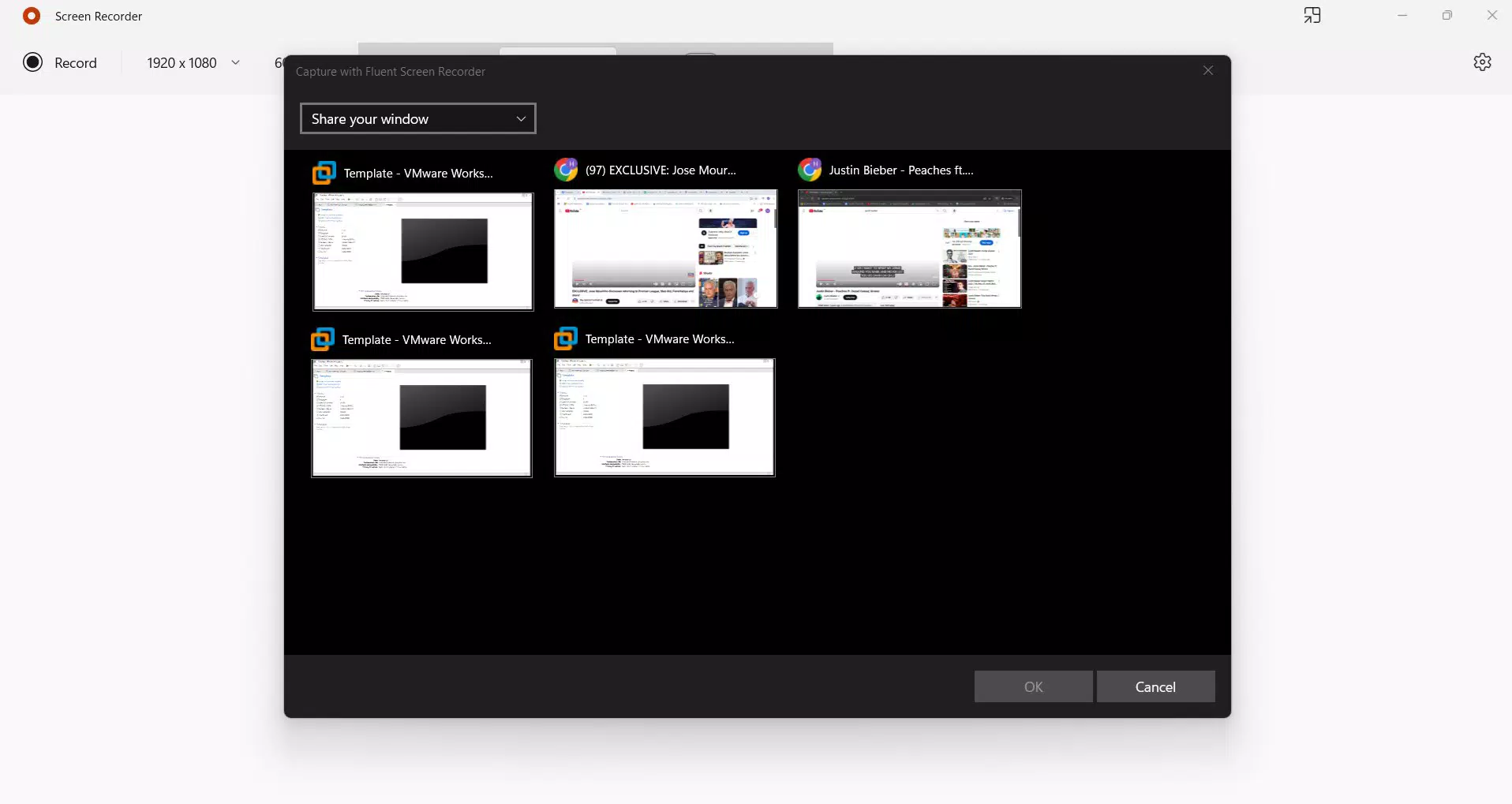
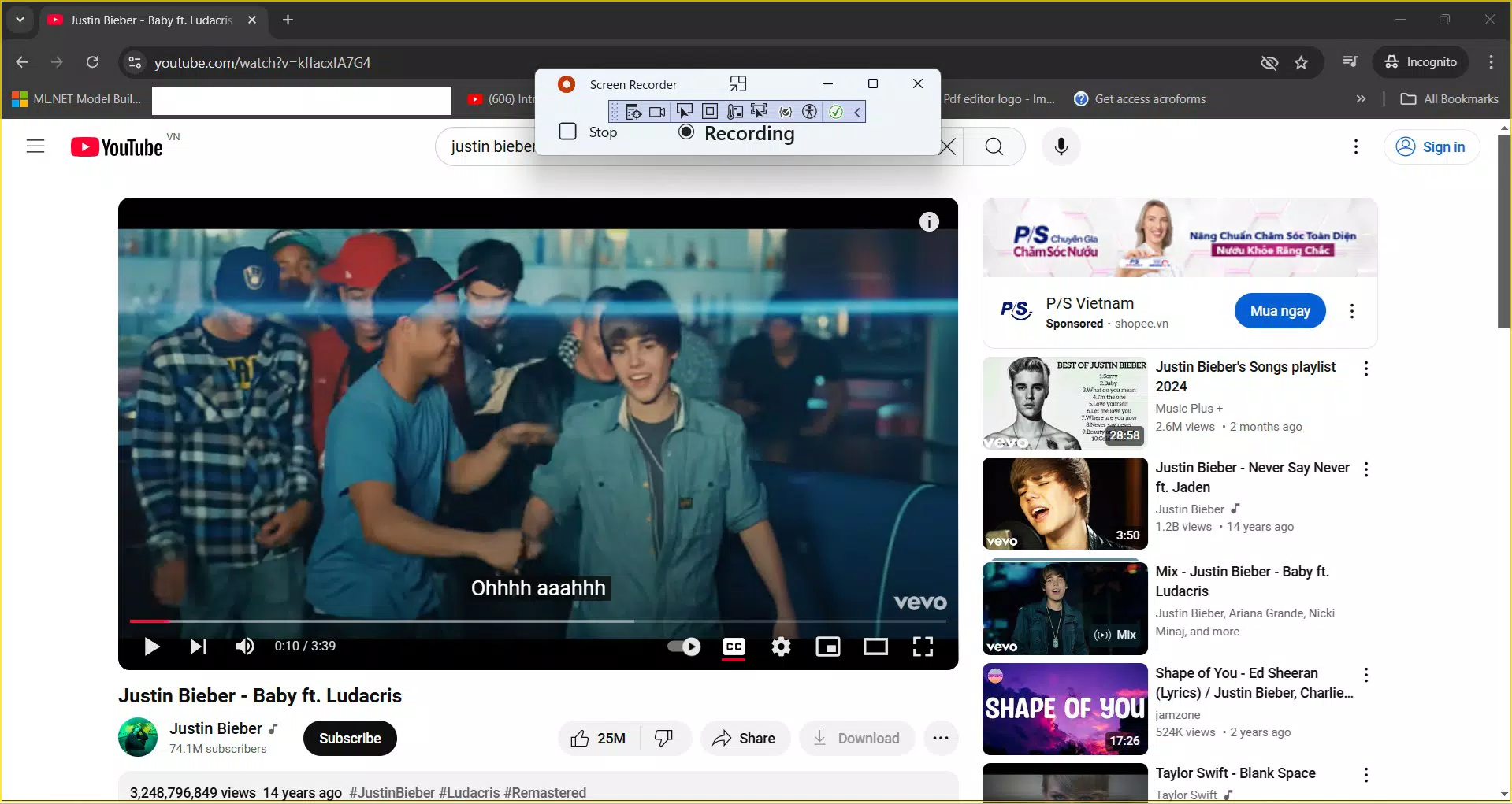
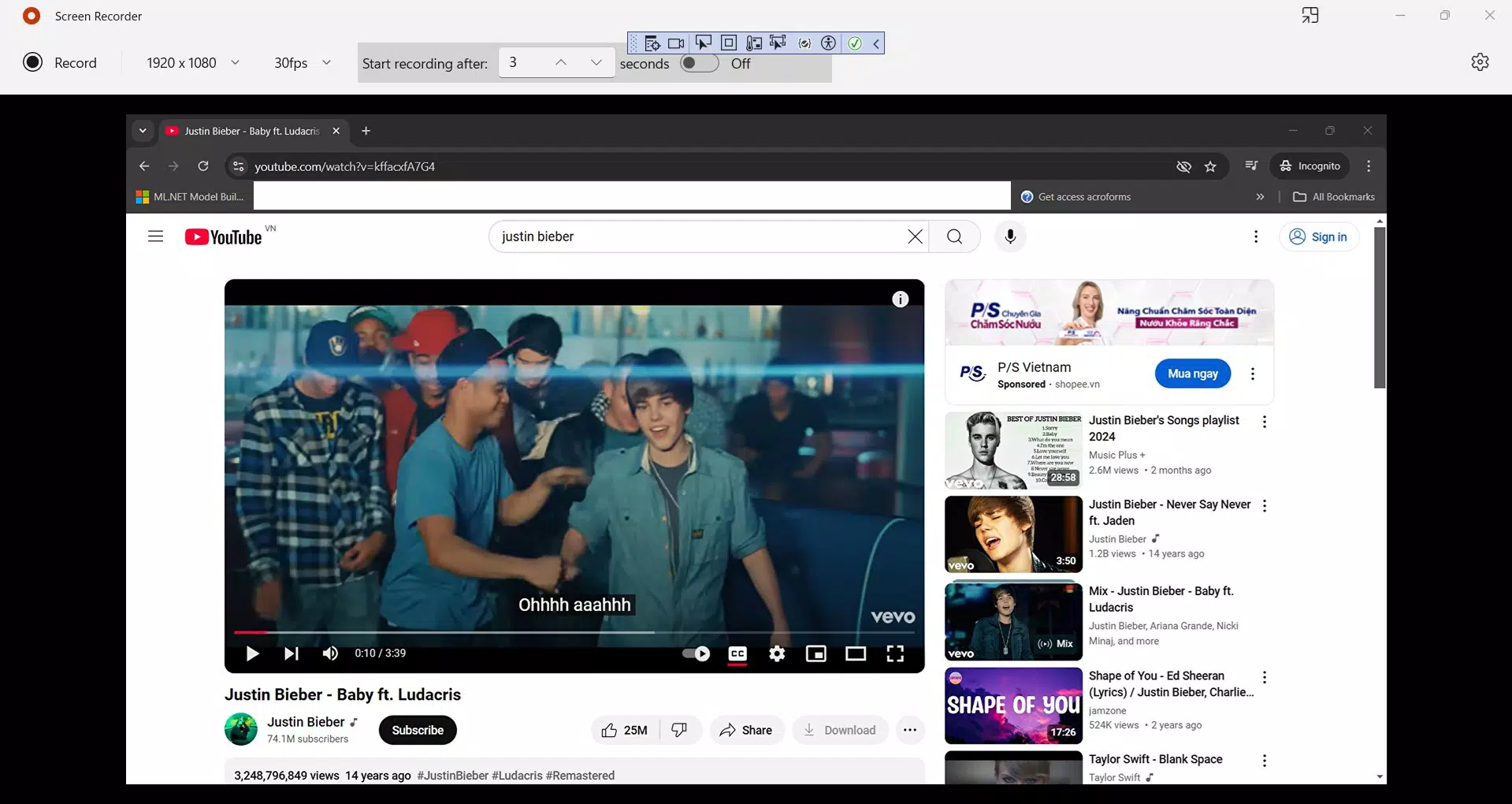
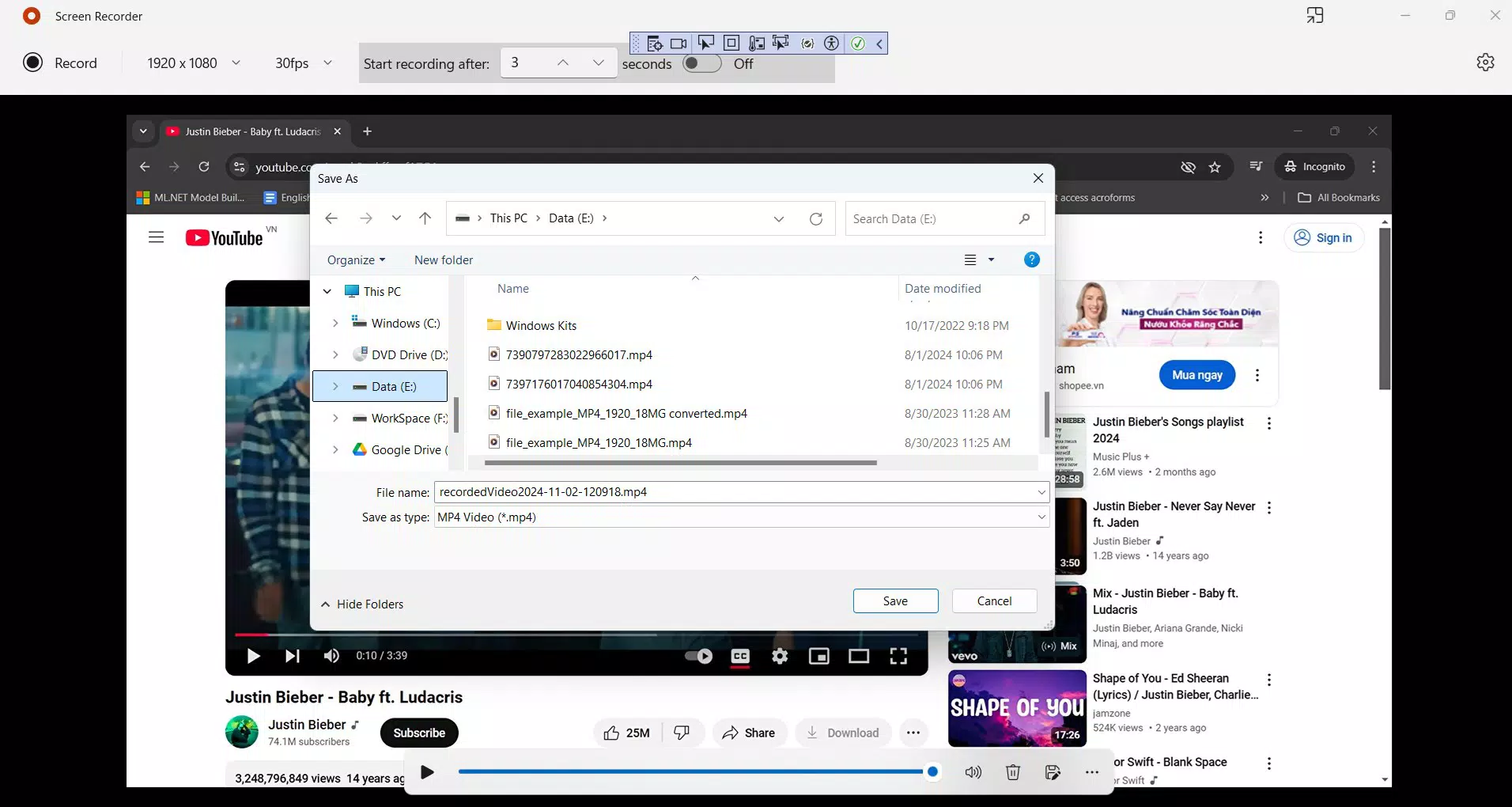
The user interface of Screen Recorder for Window is clean and minimal, focusing on essential controls. The main screen features a prominent record button, with options for audio selection and recording area customization. Navigation is intuitive, with clear labeling and logical placement of functions, reducing the likelihood of user error.
Visual design emphasizes functionality over ornamentation, using a neutral color scheme that avoids distractions. The layout adapts well to different screen sizes, ensuring consistency across various Windows devices. Although the developer did not list formal performance metrics, the app’s lightweight nature suggests stable operation even during extended recording sessions.
Responsiveness is maintained throughout the recording process, with minimal lag between button presses and action initiation. Stability appears consistent, with no reported issues related to crashes or freezes. However, specific performance data on different hardware configurations was not disclosed.
Platform Compatibility & Technical Requirements
Screen Recorder for Window is designed for the Windows platform and operates on Windows operating systems. The software version and file size were not specified in the provided details. The developer did not list minimum OS requirements or hardware specifications.
Compatibility information was not fully disclosed, so users should verify system readiness before installation. The app’s lightweight design suggests broad compatibility, but users are advised to confirm that their device meets the necessary prerequisites, especially regarding graphics and audio drivers.
Pros and Cons
Pros
- Simple, intuitive interface suitable for beginners
- High-quality MP4 output with small file size
- Supports both system and microphone audio recording
- Lightweight and efficient resource usage
- Quick start with minimal setup time
Cons
- Specific technical requirements were not listed
- Permission access may raise privacy concerns for some users
- No advanced editing features included
- Developer background not disclosed
- Limited customization options for recording settings
FAQ
Is Screen Recorder for Window safe to download and install?
Yes, the app is designed for Windows and operates within standard system permissions. As with any software, users should ensure they download from a trusted source to maintain security.
Can I record audio while capturing my screen?
Yes, the app allows users to record system audio, microphone input, or both, depending on their needs. This feature is useful for narrated tutorials or gameplay commentary.
What file format does the app use for recordings?
Recordings are saved in MP4 format, which is widely supported across devices and platforms, ensuring easy playback and sharing.
Do I need special permissions to use the app?
Yes, the app requires access to graphic captures, microphone, and video library to function properly. These permissions are necessary for capturing screen content and audio.
Is the app compatible with older versions of Windows?
The developer did not specify compatibility details. While the lightweight design suggests broad compatibility, users should verify system requirements before installation.
Final Thoughts
Screen Recorder for Window delivers a focused, efficient solution for users who need a reliable tool to capture screen activity. Its emphasis on simplicity, high-quality output, and minimal system impact makes it a strong choice for educators, content creators, and everyday users. While it lacks advanced editing tools and detailed customization, its core functionality is well-executed and accessible.
For those seeking a no-fuss screen recording experience on Windows, this app offers clear value. It balances performance and usability without unnecessary complexity. Whether recording a tutorial, documenting a process, or preserving a gaming moment, Screen Recorder for Window provides a dependable foundation.
Download Screen Recorder for Window now


